
- The Conversion Diagnosis Framework for Shopify Plus Teams
- Checkout, PDP, Search, and Merchandising Friction Points
- Step 1: Auditing Shopify Cart Ajax API Latency and Payload Sizes
- How to Audit Cart Latency
- How to Fix Cart Latency
- Step 2: Inspecting Shopify Plus Checkout Extensibility and App Pixel Overload
- Common Mistakes to Avoid
- How to Fix Pixel Overload
- Step 3: Identifying Payment Gateway and Localized Currency Friction Points
- Payment Gateway Audit Checklist
- Step 4: Mapping Mobile-Specific Form Field Validation and Autocomplete Errors
- How to Fix Mobile Form Friction
- Step 5: Evaluating When to Hire Enterprise Shopify Plus CRO Services vs. In-House Execution
- In-House Execution
- When to Hire Enterprise Services
- Experiment Backlog: Speed, UX, Offer, Trust, and Personalization Tests
- Authoritative References
- Get a Comprehensive Shopify Plus Audit
- Related Shopify and Ecommerce Growth Guides
High cart abandonment rates on Shopify Plus are frequently driven by silent technical bottlenecks, slow API response times, and misconfigured checkout extensions. This guide provides a step-by-step framework to audit your checkout pipeline, eliminate latency, and recover lost revenue immediately.
The Conversion Diagnosis Framework for Shopify Plus Teams
Before diving into individual checkout fields, enterprise ecommerce teams must establish a systematic conversion diagnosis framework. Conversion rate optimization (CRO) is not about guessing which button color works best; it is about identifying where technical performance degrades user experience. By monitoring metrics like Time to Interactive (TTI) and First Input Delay (FID) on your cart and checkout pages, you can pinpoint exactly where users abandon their journey. For a deeper dive into diagnosing performance issues that impact search and user experience, refer to the Google Search Central: Core Web Vitals documentation.
Checkout, PDP, Search, and Merchandising Friction Points
Friction rarely starts at the checkout page itself. It accumulates throughout the entire funnel:
- Search and Navigation: Slow search results and poor filtering prevent users from finding products quickly. For high-volume merchants, optimizing this flow is critical, as detailed in our guide on Shopify B2B Technical SEO: Scale Wholesale Traffic.
- Product Detail Pages (PDPs): Heavy media, unoptimized images, and bloated third-party apps delay the "Add to Cart" interaction. If your theme suffers from high latency, you should implement a Shopify Total Blocking Time Fix to streamline main-thread execution.
- Cart and Checkout: This is the final frontier where API latency, unexpected shipping costs, and complex forms cause immediate drop-offs.
Step 1: Auditing Shopify Cart Ajax API Latency and Payload Sizes
A Shopify CRO audit is a systematic evaluation of your store's technical performance, user experience, and checkout architecture to identify and eliminate conversion bottlenecks. By analyzing checkout API latency, app payloads, and payment gateway configurations, this audit directly reduces cart abandonment and maximizes revenue capture.
The transition from product page to checkout relies heavily on Shopify's Cart Ajax API. Excessive payload sizes and slow response times at this stage cause immediate user drop-off before the checkout page even loads.
How to Audit Cart Latency
- Open Chrome DevTools, navigate to the Network tab, and filter by Fetch/XHR.
- Add an item to the cart and trigger cart updates to monitor requests to /cart/add.js, /cart/change.js, and /cart.js.
- Ensure response times for these requests remain under 200ms.
- Analyze the response payload size; custom line-item properties and bloated app scripts can inflate payload sizes unnecessarily.
How to Fix Cart Latency
- Consolidate multiple cart update requests into a single batch request using the Ajax API.
- Remove unused Shopify app scripts that hook into the cart change events and block the main thread.
- If your theme's JavaScript is poorly structured, streamline cart API interactions and reduce main-thread blocking time.
Step 2: Inspecting Shopify Plus Checkout Extensibility and App Pixel Overload
With Shopify deprecating checkout.liquid, stores must transition to Checkout Extensibility. While safer, poorly configured Checkout UI Extensions and duplicate tracking pixels can severely degrade checkout load times. To understand the full scope of this transition, read our Shopify Plus Checkout CRO: Extensibility Audit Guide.
According to the official Checkout Extensibility documentation, the new architecture offers improved security and performance, but developers must still write highly optimized code to prevent UI blocking.
Common Mistakes to Avoid
- Running legacy checkout.liquid tracking scripts alongside the new Shopify Web Pixels Manager, causing duplicate script execution.
- Loading heavy third-party marketing SDKs directly inside Checkout UI Extension sandboxes.
- Deploying more than 2 active UI extension components on a single checkout page.
How to Fix Pixel Overload
- Migrate all tracking scripts from checkout liquid templates to the sandboxed Shopify Pixels API.
- Use the Shopify performance profiler to measure the rendering time of custom UI extensions.
- Defer non-critical UI extensions (such as post-purchase upsells) so they do not block the initial checkout page paint. For advanced optimization strategies, check out our guide on Shopify Checkout Extensibility CRO: 7 Tactics to Boost Revenue.
Step 3: Identifying Payment Gateway and Localized Currency Friction Points
Friction during the payment step accounts for a significant portion of abandoned checkouts. Slow gateway handshakes and unexpected currency mismatches drive high-value users away at the final step. For global brands operating on Shopify Plus, localizing the checkout experience is vital for maintaining high conversion rates.
Payment Gateway Audit Checklist
- Verify that localized currency rates match the user's IP address immediately upon checkout initialization.
- Measure payment gateway API response times; any gateway taking longer than 1.5 seconds to authorize must be deprioritized.
- Audit the layout of express checkout buttons (Shop Pay, Apple Pay) to ensure they load within 500ms of page paint.
- Check that localized payment methods (such as iDEAL or Bancontact) display only to users in relevant geographic regions. Developers can leverage the Shopify Functions documentation to customize payment and delivery rules dynamically.
Step 4: Mapping Mobile-Specific Form Field Validation and Autocomplete Errors
Mobile traffic accounts for the majority of Shopify Plus sessions, yet mobile checkout conversion rates lag behind desktop. Aggressive form validation and missing autocomplete attributes are the primary culprits.
How to Fix Mobile Form Friction
- Ensure all input fields have correct, standard autocomplete attributes (e.g., autocomplete="shipping address-line1").
- Disable auto-correct and auto-capitalize attributes on email, postal code, and credit card fields.
- Configure real-time inline validation errors to be non-blocking, allowing users to finish typing before showing an error.
- Test input fields on iOS and Android devices to verify that the correct keyboard layout (numeric vs. text) is triggered.
Step 5: Evaluating When to Hire Enterprise Shopify Plus CRO Services vs. In-House Execution
Deciding whether to execute a checkout audit in-house or hire external specialists depends on your team's technical depth and the complexity of your integrations.
In-House Execution
- Best for stores with dedicated, full-time frontend engineers who are certified in Shopify Liquid and React-based Checkout UI Extensions.
- Requires internal teams to have access to advanced monitoring tools like Datadog or LogRocket to track real-time checkout errors.
When to Hire Enterprise Services
- Required when your checkout integrates with complex, custom ERP systems, custom subscription APIs, or global inventory systems.
- For complex builds, partnering with an expert for Shopify CRO consulting ensures your checkout remains fast and high-converting without breaking custom integrations. You can learn more about our structured approach in our Shopify Plus CRO: Enterprise Audit Framework.
- If you are migrating platforms or restructuring your checkout flow, a specialized Shopify migration service can safeguard your conversion rates during the transition.
Experiment Backlog: Speed, UX, Offer, Trust, and Personalization Tests
Once your audit is complete, prioritize your optimization roadmap using a structured experiment backlog. Focus on high-impact, low-effort tests first:
- Speed Tests: Measure the impact of lazy-loading non-critical scripts and optimizing Checkout UI Extensions on overall conversion rates.
- UX Tests: Compare a single-page checkout layout against a multi-step layout for mobile users to see which reduces form-completion time.
- Offer Tests: Experiment with pre-purchase and post-purchase upsells using native Shopify Functions to increase Average Order Value (AOV) without adding checkout friction.
- Trust Tests: Place security badges and clear return policy links near the primary call-to-action buttons to reassure hesitant buyers.
- Personalization Tests: Dynamically display localized shipping options and express payment methods based on user demographics and cart value.
Authoritative References
Use these official resources to verify platform-specific claims and implementation details before making commercial or technical decisions:
- Shopify Plus Platform Overview
- Shopify Functions Developer Documentation
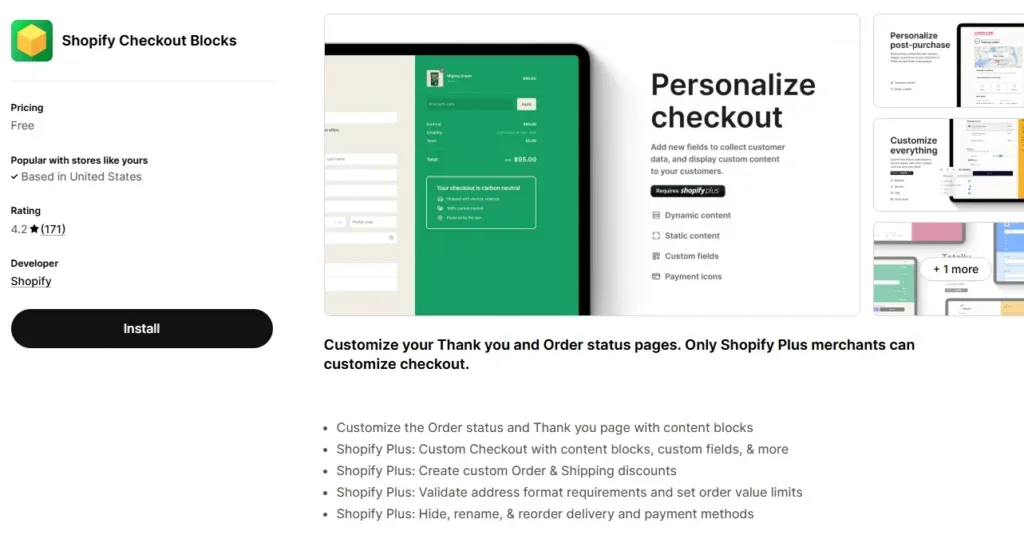
- Shopify Checkout Extensibility Documentation
- Google Search Central: Core Web Vitals
Get a Comprehensive Shopify Plus Audit
Is checkout friction quietly draining your store's revenue? Don't leave your conversion rates to guesswork. Let's run a technical deep-dive on your Shopify Plus store. Whether you need a performance-focused SEO audit, a Checkout Extensibility transition plan, or a complete migration risk assessment, I can help you identify and resolve high-impact bottlenecks. Book your Shopify Plus audit today to unlock hidden growth and maximize your store's performance.
Related Shopify and Ecommerce Growth Guides
Continue with these related guides if you want to connect the strategy to implementation, SEO risk, performance, or conversion impact.
- Shopify Plus Checkout CRO: Extensibility Audit Guide
- Shopify Checkout Extensibility CRO: 7 Tactics to Boost Revenue
- Shopify Plus CRO: Enterprise Audit Framework [2025]
- Shopify Total Blocking Time Fix: 6 Steps to Faster Themes
- Shopify B2B Technical SEO: Scale Wholesale Traffic
Frequently Asked Questions
What is a Shopify CRO audit and why is it critical for high-volume Shopify Plus merchants?
A Shopify CRO audit is a systematic, technical evaluation of a merchant's storefront architecture, API integrations, and checkout pipeline designed to uncover hidden friction points that depress conversion rates. For high-volume Shopify Plus merchants, this audit focuses heavily on measuring Cart Ajax API latency, optimizing Checkout Extensibility UI components, auditing third-party tracking pixel payloads, and eliminating payment gateway handshakes that exceed acceptable latency thresholds. By systematically identifying and resolving these technical bottlenecks—such as render-blocking scripts, unoptimized mobile form validations, and duplicate tracking pixels within the Shopify Web Pixels Manager—merchants can significantly reduce cart abandonment rates. Implementing these technical optimizations directly improves the user experience during the critical cart-to-checkout transition, resulting in immediate, measurable revenue recovery and a maximized return on ad spend without requiring additional customer acquisition costs. This process ensures your store operates at peak efficiency.
When should a merchant invest in professional cro services shopify plus?
Merchants should invest in professional Shopify Plus CRO services when they scale past $10M in annual recurring revenue, utilize complex ERP integrations, or experience high cart abandonment that standard design tweaks fail to resolve.
How does Checkout Extensibility impact shopify plus cro services?
Checkout Extensibility replaces checkout.liquid, allowing secure, sandboxed UI extensions. Professional CRO services leverage this to inject custom upsells and trust badges without risking checkout stability or page load speeds.

Ecommerce manager and Shopify Plus consultant helping teams plan migrations, improve storefront performance and review conversion opportunities.
![Shopify Plus CRO: Enterprise Audit Framework [2025]](/img/blog/shopify-plus-cost-2026-enterprise-pricing-breakdown-1.webp)

