- Decoding the Core Web Vitals: Beyond SEO Rankings to Revenue Impact
- LCP, INP, CLS: What They Truly Mean for Your Shopify Store's Bottom Line
- The Hidden Cost of Poor Performance: Abandonment Rates & Conversion Loss
- The Technical Audit Blueprint: Pinpointing Performance Bottlenecks on Shopify
- Leveraging Google Lighthouse & PageSpeed Insights for Actionable Data
- Deep Dive: Identifying Third-Party Script Bloat & Its CRO Ramifications
- Unmasking Theme-Specific Performance Debt: Code, Assets, and Liquid Logic
- Strategic CRO Interventions: Translating Audit Findings into Theme Optimizations
- Optimizing Largest Contentful Paint (LCP) for Immediate User Engagement
- Enhancing Interaction to Next Paint (INP) for Seamless User Journeys
- Stabilizing Cumulative Layout Shift (CLS) for Trust & Usability
- The CRO Feedback Loop: Measuring Performance Gains & Conversion Uplift
- Setting Up Analytics for Performance-Driven CRO Tracking (GA4 & Shopify Analytics)
- A/B Testing Performance Changes: Quantifying the ROI of Technical SEO
- Continuous Monitoring & Iteration: Maintaining Peak Shopify Performance
- Beyond the Basics: Advanced Shopify Theme Performance & CRO Strategies
- Headless Shopify & Progressive Web Apps (PWAs) for Elite Performance
- Server-Side Rendering (SSR) & Edge Caching for Global Speed
- Custom Theme Development Best Practices for Future-Proof CRO
- Related Reading
Decoding the Core Web Vitals: Beyond SEO Rankings to Revenue Impact
For enterprise Shopify Plus merchants, optimizing site performance transcends mere SEO scores. It's a critical lever for maximizing conversion rates, enhancing user experience, and ultimately, driving revenue. The Core Web Vitals (CWV) are not just Google metrics; they are quantifiable indicators of your store's ability to deliver a frictionless shopping journey.
LCP, INP, CLS: What They Truly Mean for Your Shopify Store's Bottom Line
The Core Web Vitals, comprising Largest Contentful Paint (LCP), Interaction to Next Paint (INP), and Cumulative Layout Shift (CLS), offer a standardized framework for assessing user experience. For a Shopify store, these metrics directly correlate with key e-commerce KPIs, making their optimization a strategic imperative.
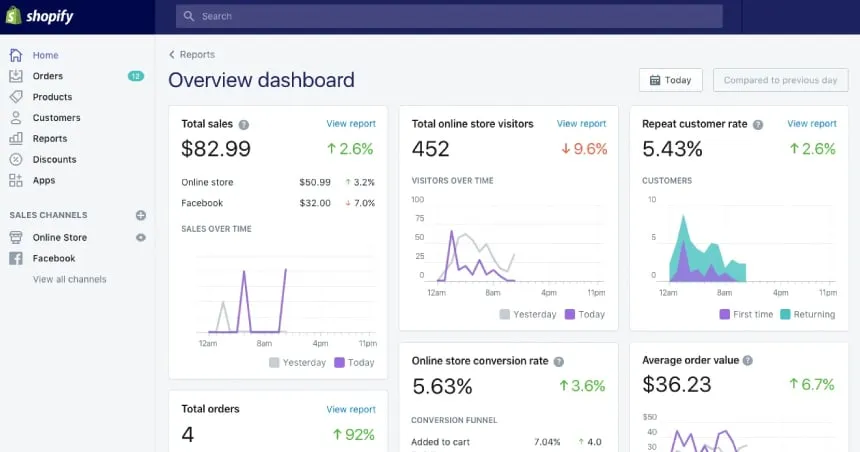
Shopify Core Web Vitals audit dashboard
Largest Contentful Paint (LCP) measures the time it takes for the largest content element in the viewport to become visible. On a product page, this is often the hero image or product gallery. A slow LCP directly impacts a user's first impression, leading to higher bounce rates and reduced engagement before they even see your product.
Interaction to Next Paint (INP), replacing First Input Delay (FID), assesses a page's responsiveness to user interactions. This includes clicks, taps, and keyboard inputs. A poor INP on Shopify means frustrating delays when adding items to a cart, filtering products, or navigating checkout steps, directly hindering the `E-commerce conversion funnel analysis`.
Cumulative Layout Shift (CLS) quantifies unexpected layout shifts of visual page content. Imagine clicking an "Add to Cart" button only for it to shift as a banner loads, causing you to misclick. High CLS erodes user trust and disrupts the shopping flow, leading to abandonment and a perception of an unprofessional storefront.
 Developer optimizing Shopify theme code speed
The Hidden Cost of Poor Performance: Abandonment Rates & Conversion Loss
The impact of subpar `shopify theme performance` extends far beyond theoretical scores. Every millisecond of delay contributes to a tangible loss in potential revenue. Studies consistently show that even a 100ms improvement in load time can boost conversion rates by several percentage points, particularly on mobile.
A slow loading product page, for instance, can increase bounce rates by over 30%. When users encounter a sluggish or unresponsive interface, their patience quickly wears thin. This directly translates to higher `abandonment rates` at critical stages of the conversion funnel, from product discovery to checkout completion.
The cost is not just in lost sales, but also in diminished brand perception. A fast, fluid experience signals reliability and professionalism, fostering customer loyalty. Conversely, a slow site creates friction, frustration, and a negative association with your brand, impacting long-term customer lifetime value.
Translating technical audits into Shopify theme conversion gains involves a systematic approach to identifying and rectifying performance bottlenecks that directly impede the user journey. By focusing on Core Web Vitals, merchants can pinpoint issues such as slow LCP from unoptimized images or render-blocking scripts, high INP stemming from excessive JavaScript on the main thread, and disruptive CLS caused by dynamic content without reserved space. Implementing targeted `Shopify speed optimization techniques`—like image lazy loading, critical CSS inlining, script deferral, and explicit dimensioning for media—directly enhances user experience. These technical improvements reduce friction, increase perceived speed, and stabilize interactive elements, leading to measurable uplift in conversion rates, lower bounce rates, and improved customer satisfaction, effectively turning technical debt into tangible ROI. This proactive `Technical SEO & Shopify CRO` strategy ensures a seamless path to purchase.
The Technical Audit Blueprint: Pinpointing Performance Bottlenecks on Shopify
A robust `technical seo audit` is the foundational step for any `Shopify CRO` initiative centered on performance. This isn't just about running a tool; it's about understanding the diagnostic output and mapping it back to specific theme and app architecture.
Leveraging Google Lighthouse & PageSpeed Insights for Actionable Data
Google Lighthouse and PageSpeed Insights are indispensable tools for an initial `technical seo audit`. They provide a comprehensive performance report, identifying issues across various categories like performance, accessibility, best practices, and SEO. However, the raw scores are only the beginning.
Merchants must delve into the "Opportunities" and "Diagnostics" sections. These areas highlight specific render-blocking resources, unoptimized images, excessive JavaScript execution times, and layout shifts. For Shopify, pay close attention to findings related to third-party scripts and theme liquid rendering.
Use these reports to create a prioritized list of issues. The goal is to understand *why* a metric is poor, not just *that* it is poor. For instance, a low `Lighthouse performance score` might be attributed to a large hero image lacking proper optimization, or a critical font loading late.
Deep Dive: Identifying Third-Party Script Bloat & Its CRO Ramifications
Third-party scripts, primarily from Shopify apps and marketing pixels, are frequent culprits for `shopify theme performance` degradation. While essential for functionality and marketing, unchecked script proliferation leads to significant main thread blocking and network overhead.
To identify bloat, utilize Chrome DevTools' Network tab to analyze waterfall requests and the Coverage tab to find unused JavaScript and CSS. Look for scripts that are render-blocking or have disproportionately large file sizes. Common offenders include analytics platforms, chat widgets, review apps, and conversion tracking pixels.
The `Shopify app performance impact` is often underestimated. Each app injects its own JavaScript, CSS, and sometimes Liquid code. This can severely impact `Interaction to Next Paint (INP) improvements` and overall page load, directly hindering the `E-commerce conversion funnel analysis`.
Unmasking Theme-Specific Performance Debt: Code, Assets, and Liquid Logic
Beyond third-party scripts, the Shopify theme itself can harbor significant performance debt. This includes inefficient Liquid code, unoptimized assets, and poor front-end development practices. A thorough audit requires scrutinizing the theme's codebase directly.
Inspect Liquid files for overly complex loops, redundant includes, or unnecessary database calls. For example, iterating through `all_products` on every page load is inefficient. Ensure assets like CSS and JavaScript are minified, concatenated where appropriate, and delivered via Shopify's CDN.
Review image usage within the theme; hardcoding large images without responsive attributes is a common mistake. Evaluate font loading strategies, as custom fonts can be a major `Largest Contentful Paint (LCP) optimization` bottleneck. This deep dive into theme code is crucial for sustainable `shopify speed optimization techniques`.
Strategic CRO Interventions: Translating Audit Findings into Theme Optimizations
With audit findings in hand, the next phase involves targeted `shopify theme performance` optimizations. Each intervention should be directly tied to improving a specific Core Web Vital, with the overarching goal of boosting conversion rates.
Optimizing Largest Contentful Paint (LCP) for Immediate User Engagement
LCP is often the most visible performance metric, directly impacting a user's initial perception. Aggressive optimization here yields immediate benefits in engagement and reduced bounce rates.
Image Optimization & Lazy Loading Strategies for Shopify
Images are typically the largest contributors to LCP. Implementing robust image optimization is paramount. Ensure all images are correctly sized for their display context and compressed efficiently. Shopify's image CDN automatically handles some optimization, but manual intervention is often needed.
- Convert images to modern formats like WebP where possible, offering superior compression without quality loss.
- Utilize responsive images with `srcset` and `sizes` attributes to serve appropriately sized images based on the user's device.
- Implement native lazy loading (`loading="lazy"`) for all images below the fold. This prevents them from blocking the initial render, significantly improving above-the-fold content load times.
- Prioritize above-the-fold images by preloading them (`<link rel="preload" as="image" href="...">`) to ensure they are fetched as early as possible.
Critical CSS & Font Loading Prioritization
Render-blocking CSS and inefficient font loading can severely delay LCP. Strategic management of these assets is crucial for `Largest Contentful Paint (LCP) optimization`.
- Inline critical CSS: Extract the minimal CSS required for above-the-fold content and embed it directly in the `<head>`. This allows the page to render immediately without waiting for external stylesheets.
- Defer non-critical CSS: Load the remaining CSS asynchronously using techniques like `media="print"` and then swapping it or using JavaScript.
- Optimize font loading: Use `font-display: swap` to prevent text from being invisible (FOIT) while custom fonts load. Preload critical fonts, especially those used in the LCP element. Consider self-hosting fonts to reduce third-party requests and improve control.
Enhancing Interaction to Next Paint (INP) for Seamless User Journeys
Improving INP focuses on making your Shopify store feel instantly responsive, crucial for complex interactions like filtering, adding to cart, or navigating through extensive product options. This directly impacts `User experience (UX) metrics`.
JavaScript Deferral & Asynchronous Loading Techniques
Excessive or poorly loaded JavaScript is a primary cause of high INP. Scripts can block the main thread, preventing the page from responding to user input. Effective management is key for `Interaction to Next Paint (INP) improvements`.
- Apply `defer` and `async` attributes to `<script>` tags. `async` loads scripts in parallel and executes them as soon as they're downloaded, while `defer` loads in parallel but executes after the HTML is parsed, maintaining execution order.
- Break up large JavaScript bundles into smaller, on-demand modules. Implement code splitting to only load JavaScript when it's needed for a specific component or interaction.
- For Shopify apps, assess their script injection methods. If possible, configure apps to load their scripts asynchronously or only on pages where their functionality is required. This minimizes `Shopify app performance impact`.
Minimizing Main Thread Work & Long Tasks
Long tasks are JavaScript executions that block the main thread for 50ms or more, directly hindering responsiveness. Reducing these is vital for `INP improvements`.
- Identify long tasks using Chrome DevTools' Performance tab. Look for functions that take significant time.
- Implement debouncing and throttling for event listeners (e.g., scroll, resize, input). This limits how often a function executes, reducing main thread contention.
- Offload heavy computations to Web Workers, allowing them to run in a background thread without blocking the UI. This is particularly useful for complex filtering logic or data processing.
- Audit third-party scripts for their main thread impact and consider alternatives or delayed loading for non-critical functionalities.
Stabilizing Cumulative Layout Shift (CLS) for Trust & Usability
CLS improvements build trust and provide a predictable user experience. Unexpected shifts are jarring and can lead to misclicks, frustrating users and increasing abandonment. These `Cumulative Layout Shift (CLS) fixes` are essential for a polished storefront.
Managing Dynamic Content & Font Swaps
Dynamic content, such as ads, embeds, and consent banners, often causes layout shifts if space isn't reserved. Font swaps can also contribute to CLS if not handled gracefully.
- For all dynamically injected content (e.g., review widgets, recommendation blocks, cookie banners), reserve space in the DOM using CSS `min-height` or explicit `width` and `height` attributes. This prevents the content from "pushing" other elements around when it loads.
- When using custom fonts, apply `font-display: swap` to ensure text is visible with a fallback font while the custom font loads. This prevents a "flash of unstyled text" (FOUT) and minimizes CLS from font loading.
- Preload critical fonts that are used above the fold to ensure they are available before the initial render, reducing the likelihood of layout shifts when they finally apply.
Reserved Space for Images & Embeds
Images and videos without explicit dimensions are a common source of CLS. The browser doesn't know how much space to allocate, causing shifts once the media loads.
- Always specify `width` and `height` attributes for `<img>` and `<iframe>` tags. This allows the browser to allocate the correct space before the asset loads.
- For responsive images, use the aspect-ratio padding hack or modern CSS `aspect-ratio` property. This involves setting a `padding-bottom` percentage on a container element to maintain the image's aspect ratio, reserving its space.
- Ensure that any embeds from external sources (e.g., YouTube videos, social media feeds) also have their dimensions explicitly defined or are wrapped in containers that reserve space.
The CRO Feedback Loop: Measuring Performance Gains & Conversion Uplift
Optimizing `shopify theme performance` is not a one-off task; it's an iterative process. Crucially, every technical intervention must be measured against its impact on conversion rates to quantify the ROI of `Technical SEO & Shopify CRO` efforts.
Setting Up Analytics for Performance-Driven CRO Tracking (GA4 & Shopify Analytics)
Integrating performance metrics into your analytics setup is vital for understanding the true impact of optimizations. Both GA4 and Shopify Analytics can be configured to track relevant data.
- In GA4, leverage custom dimensions to capture Core Web Vitals data directly from your site. This allows you to segment users by their experienced LCP, INP, and CLS, and then analyze their behavior (e.g., conversion rates, average order value, bounce rate) based on performance buckets.
- Connect Google Search Console's Core Web Vitals report to GA4 for a holistic view of user experience data.
- Within Shopify Analytics, monitor key conversion metrics like conversion rate, add-to-cart rate, and checkout completion rate. Look for correlations between performance improvements and positive shifts in these metrics. While Shopify Analytics doesn't natively track CWV, it provides the business outcomes for validation.
A/B Testing Performance Changes: Quantifying the ROI of Technical SEO
`A/B testing performance changes` is the most robust way to prove the direct impact of your technical optimizations on conversion. It moves the conversation beyond theoretical improvements to measurable revenue gains.
- Isolate specific performance changes for A/B testing. For example, test a page with optimized images and critical CSS against the original version.
- Use A/B testing platforms like Google Optimize (while it's still available), VWO, or Optimizely to split traffic and measure conversion rate differences between the control and variant.
- Focus on statistically significant results over a sufficient testing period. Quantify the uplift in conversion rate, average order value, or revenue per visitor directly attributable to the performance improvement. This provides a clear `ROI of Technical SEO`.
Continuous Monitoring & Iteration: Maintaining Peak Shopify Performance
The digital landscape is constantly evolving, with new apps, content, and features frequently added to Shopify stores. Therefore, `continuous monitoring` is essential to maintain peak performance.
- Regularly review your Core Web Vitals reports in Google Search Console to catch any regressions.
- Schedule periodic `technical seo audit` using Lighthouse and PageSpeed Insights, especially after major theme updates, app installations, or significant content changes.
- Implement automated performance monitoring tools that alert you to drops in key metrics.
- Foster a culture of performance-first development within your team or agency. Every new feature or app should be evaluated for its potential `shopify app performance impact`.
Beyond the Basics: Advanced Shopify Theme Performance & CRO Strategies
For enterprise Shopify Plus merchants aiming for elite performance and unparalleled user experiences, advanced architectural shifts and development practices become necessary. These strategies push the boundaries of `shopify speed optimization techniques`.
Headless Shopify & Progressive Web Apps (PWAs) for Elite Performance
Headless Shopify decouples the front-end presentation layer from Shopify's back-end e-commerce engine. This allows developers to build custom storefronts using modern frameworks (React, Vue, Next.js) for unparalleled speed and flexibility. When combined with Progressive Web App (PWA) principles, the performance gains are transformative.
- Headless benefits: Achieve sub-second page loads, highly customized user interfaces, and complete control over the front-end tech stack. This dramatically improves LCP and INP, leading to superior `User experience (UX) metrics` and conversion rates.
- PWA advantages: Deliver app-like experiences, including offline capabilities, push notifications, and faster subsequent loads via service workers. PWAs enhance engagement and retention, providing a competitive edge for `E-commerce conversion funnel analysis`.
- Considerations: While offering elite performance, headless implementations are more complex and require significant development resources, making them suitable for enterprise-level operations with specific UX requirements.
Server-Side Rendering (SSR) & Edge Caching for Global Speed
For headless architectures, Server-Side Rendering (SSR) is crucial for initial page load performance, especially LCP, and `Technical SEO best practices for Shopify`. Edge caching further amplifies global delivery speed.
- Server-Side Rendering (SSR): Instead of rendering the entire page on the client-side (which can delay LCP), SSR pre-renders the HTML on the server. This delivers a fully formed page to the browser, significantly speeding up the initial content display and improving SEO crawlability.
- Edge Caching with CDNs: Deploy your headless storefront and its assets to a global Content Delivery Network (CDN) with edge caching capabilities (e.g., Cloudflare, Fastly). This serves content from the nearest geographic server to the user, drastically reducing latency and improving load times for a global audience.
- Strategic Caching: Implement intelligent caching strategies for product data, collections, and static assets. This minimizes calls to the Shopify API and ensures rapid content delivery, crucial for high-traffic stores.
Custom Theme Development Best Practices for Future-Proof CRO
Whether building a custom theme or extending an existing one, adopting performance-first development practices ensures long-term CRO success and minimizes technical debt.
- Modular Architecture: Develop themes with a modular component-based structure. This promotes reusability, easier maintenance, and targeted loading of assets, preventing unnecessary code bloat.
- Efficient Liquid Logic: Write clean, optimized Liquid code. Avoid redundant loops, minimize API calls within loops, and utilize Shopify's built-in filters and objects efficiently. Understand the implications of Liquid render cycles.
- Aggressive Asset Bundling & Minification: Automate the bundling and minification of CSS and JavaScript during the development workflow. Use modern tools to tree-shake unused code and optimize asset delivery.
- Performance Budgets: Establish performance budgets for metrics like page weight, JavaScript size, and LCP. Integrate these budgets into your CI/CD pipeline to prevent performance regressions during development and deployment. This proactive approach ensures `shopify theme performance` remains a core consideration from inception.
Frequently Asked Questions
What are Core Web Vitals and why are they crucial for Shopify CRO?
Core Web Vitals (CWV) are a set of standardized metrics from Google that measure real-world user experience for loading, interactivity, and visual stability. For Shopify Conversion Rate Optimization (CRO), they are crucial because they directly correlate with user behavior and business outcomes. A poor Largest Contentful Paint (LCP) leads to higher bounce rates, as users abandon slow-loading pages. High Interaction to Next Paint (INP) causes frustration during interactions like adding to cart, hindering the checkout funnel. Cumulative Layout Shift (CLS) erodes trust through unexpected page shifts, leading to misclicks and abandonment. Optimizing CWV on Shopify directly improves user experience, reduces friction, and boosts key e-commerce KPIs like conversion rates, average order value, and customer retention, making them foundational for any effective CRO strategy.
How does a technical SEO audit specifically help Shopify theme performance?
A technical SEO audit on Shopify goes beyond basic SEO checks to deeply analyze the theme's underlying code, assets, and third-party integrations for performance bottlenecks. It leverages tools like Google Lighthouse and Chrome DevTools to pinpoint issues such as render-blocking JavaScript and CSS, unoptimized images, inefficient Liquid code, and excessive third-party script bloat from apps. By identifying these specific technical deficiencies, the audit provides an actionable roadmap for targeted optimizations. This ensures that performance improvements are not generic but tailored to the Shopify environment, directly addressing factors that impact Core Web Vitals and, consequently, user experience and conversion rates. It transforms abstract performance scores into concrete development tasks that enhance the store's speed and responsiveness.
What are the most impactful Core Web Vitals optimizations for a Shopify store?
For a Shopify store, the most impactful Core Web Vitals optimizations target Largest Contentful Paint (LCP), Interaction to Next Paint (INP), and Cumulative Layout Shift (CLS). To improve LCP, prioritize image optimization by converting to WebP, using responsive `srcset` attributes, lazy loading below-the-fold images, and preloading critical above-the-fold images. Inlining critical CSS and deferring non-critical stylesheets also significantly reduce render-blocking time. For INP, focus on JavaScript deferral and asynchronous loading using `defer` and `async` attributes, breaking up large JavaScript bundles, and minimizing main thread work through debouncing, throttling, or offloading heavy computations to Web Workers. Finally, to stabilize CLS, always reserve space for dynamic content, images, and embeds by specifying `width` and `height` attributes or using CSS `aspect-ratio` properties. Employ `font-display: swap` for custom fonts to prevent layout shifts during loading. These targeted technical improvements directly enhance user experience, reduce bounce rates, and lead to measurable conversion rate increases, turning technical debt into tangible ROI for Shopify merchants.
When should a Shopify Plus merchant consider a headless architecture for performance?
A Shopify Plus merchant should consider a headless architecture when aiming for elite performance, highly customized user experiences, and complete control over the front-end tech stack that traditional Shopify themes cannot fully provide. This approach is ideal for brands with significant development resources, complex design requirements, or a need for sub-second page loads and app-like experiences (PWAs). Headless Shopify allows for unparalleled LCP and INP improvements, crucial for high-traffic enterprise stores where every millisecond impacts conversion. It's a strategic investment for businesses looking to future-proof their e-commerce platform, integrate seamlessly with diverse third-party systems, and gain a competitive edge through superior speed and flexibility, especially for global audiences requiring edge caching and server-side rendering.

Ecommerce manager, Shopify & Shopify Plus consultant with 10+ years of experience helping enterprise brands scale their ecommerce operations. Certified Shopify Partner with 130+ successful store migrations.
![Shopify Plus: SimGym's [Deep Dive] for 20% CRO & SEO Gains](/img/blog/shopify-simgym-seo-cro-deep-dive-1.webp)